

Act 2 Quests
Plays the Act 2 quest line with a group of up to three characters.
Act 2 Quests takes one to three questers through the Act 2 quests. It follows the quest the server says each one is on. It fights, walks, hands in items, runs the time-spaces and re-logs when needed. Two helper characters can be added as relays.
Watch it, 59 seconds
What you can use it for
- Levelling fresh characters through Act 2 while you do something else
- Running more than one group at the same time, one tab each
What it has
- One to three questers of any class, with a Warrior, Ranger, Holy Mage or Red Magician card
- Relay characters that wait at their spot and help with the flights
- Follows the quest the server reports, not a fixed script
- Chooses the card and potions per character
- Needs you: when a step is not handled, the bot waits, records the packets and lets you do it by hand
- Progress bar and the counts of items in each bag
- Tabs with the + button for several groups, each with its own characters and Start
- The ✕ at the end of a row hides a character from the page until you press Show all
How to use it
Read Before you start
The page lists what to prepare: items in the bags, gear, fairies and skills, and the combat INI loaded in Phoenix with the farming bot stopped.
Set the re-log target
Under Re-log target set the Server, the Server names (typed once, in the order of the list) and the Channel. The bot uses them when a character has to log in again.
Choose the roles
Under Characters set each character to Quester, Relay or Off. Pick the card for a Quester, and its Potions.
Check the items
The items under each name show what is in the bag against what the test run carried. Press Refresh to read again.
Start
Press Start. The progress bar shows how far the slowest quester is. Press Apply to change potions or the re-log target during the run.
Help when it asks
When a step needs you, the status shows Needs you. Do the action in the game and press Done.
Good to know
- Gear, fairies and base class skills are yours to set up. Spend the card points first.
- Handing out items is done by hand, or with the Trader module.
- The bot does not log in from the game's start screen. It only re-logs characters it already controls.
- Test runs took the questers from level 56 to 65. Some steps may still stop under Needs you.
Screenshots
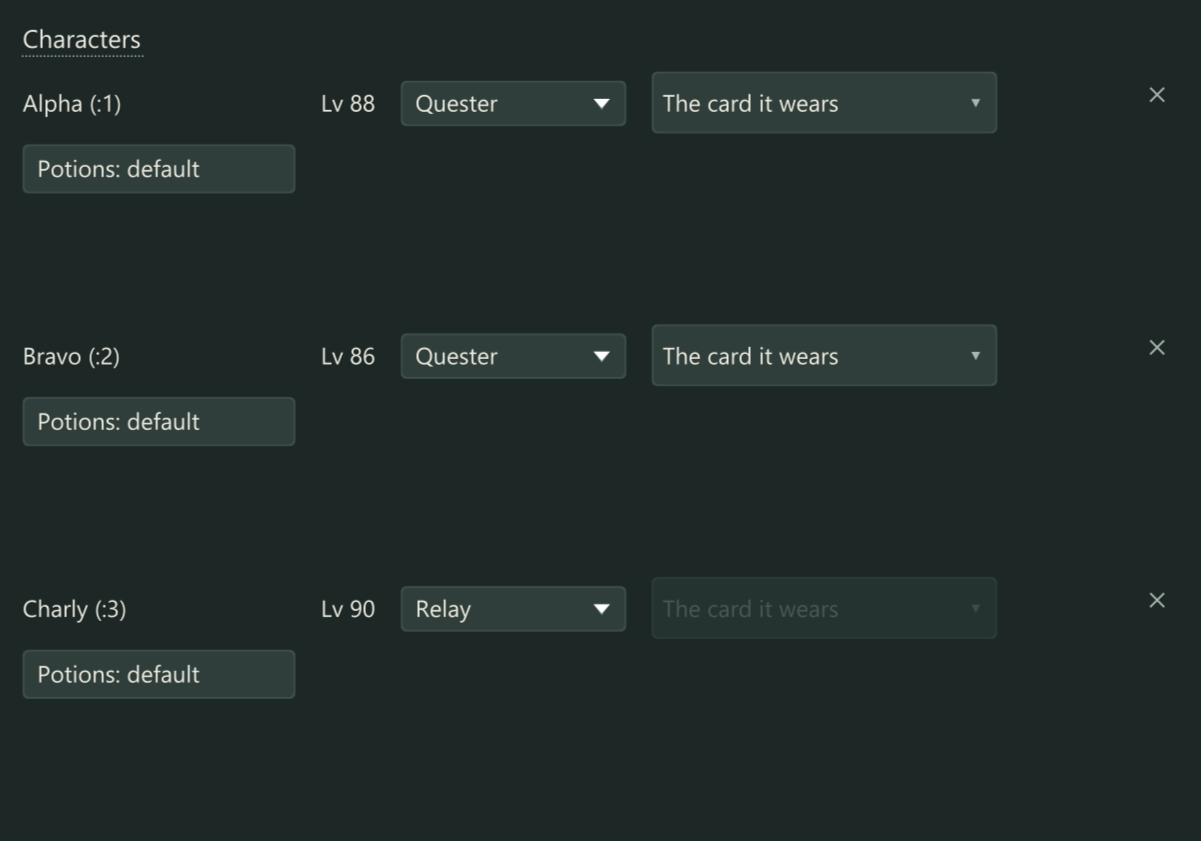
Characters with their role, card and potions. Example characters. 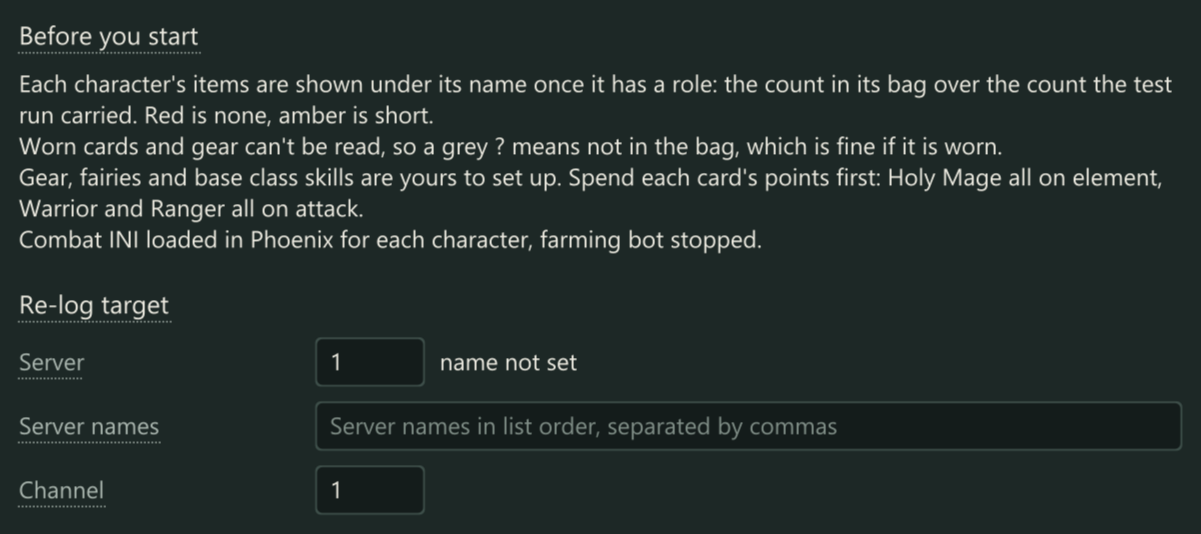
What to prepare, and where the bot logs in again. 
Start, Stop, Apply and the progress of the slowest quester.
Get Act 2 Quests
Add this module to a licence key. Price and total are shown on the order page.