

Run every character from one window.
NosTale Manager runs on top of Phoenix Bot. It puts all your characters in one window and adds bots for farming, quests, dungeons, time-spaces, trading and Steam accounts. You buy the modules you need.
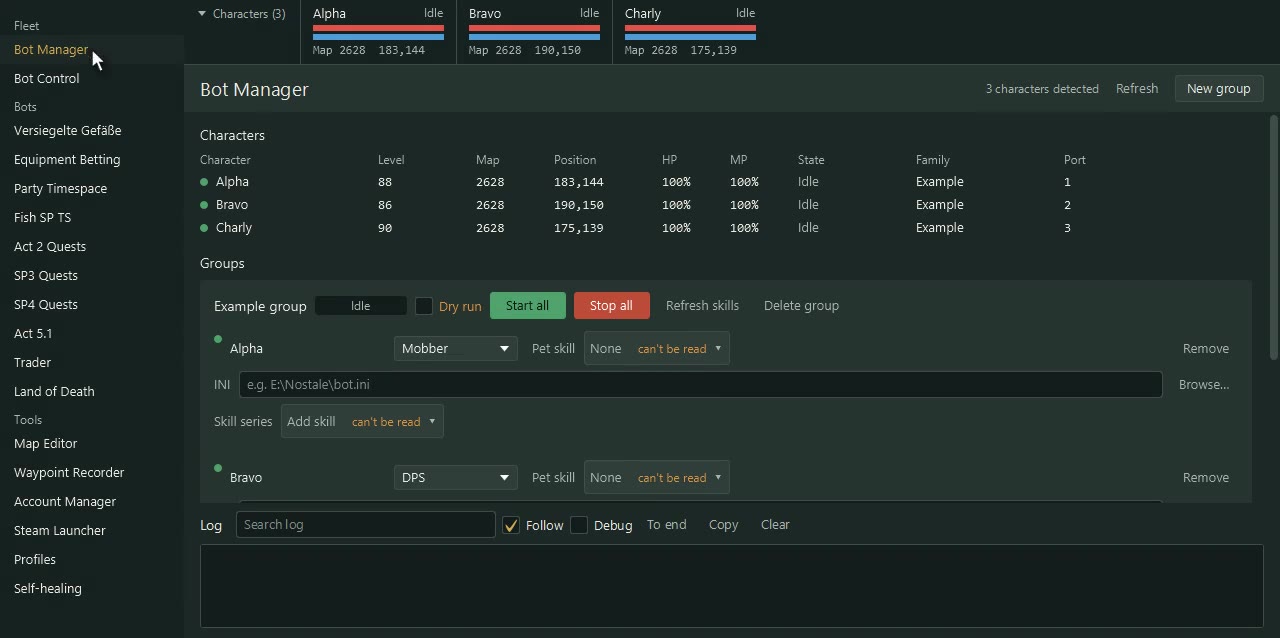
What it is
NosTale Manager is a Windows program that manages many bot characters at once, built on the Phoenix Bot you install yourself.
It finds the characters Phoenix is running, shows them in one list and starts and stops the bots for all of them together. Gear, skills and logging in stay in your hands: the program works with the characters you have already started.
What it looks like
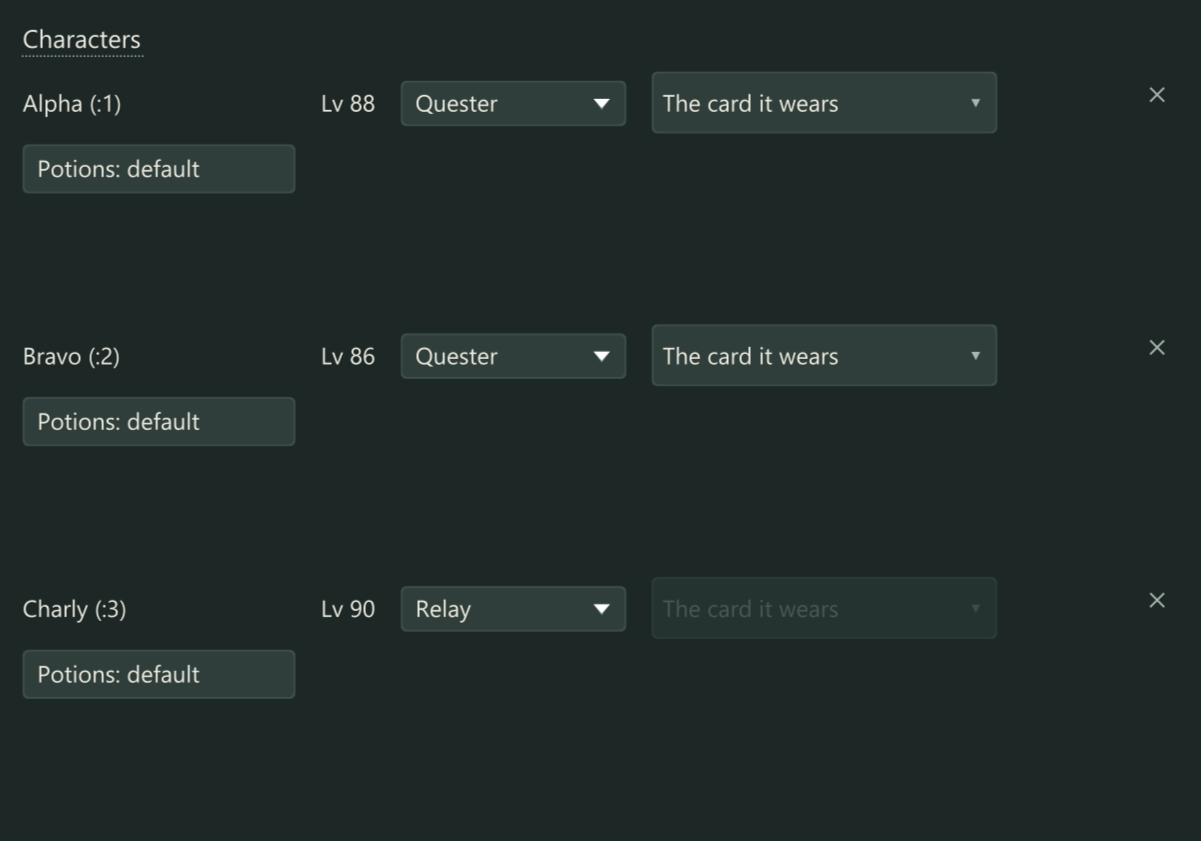 Act 2 Quests: Characters with their role, card and potions. Example characters.
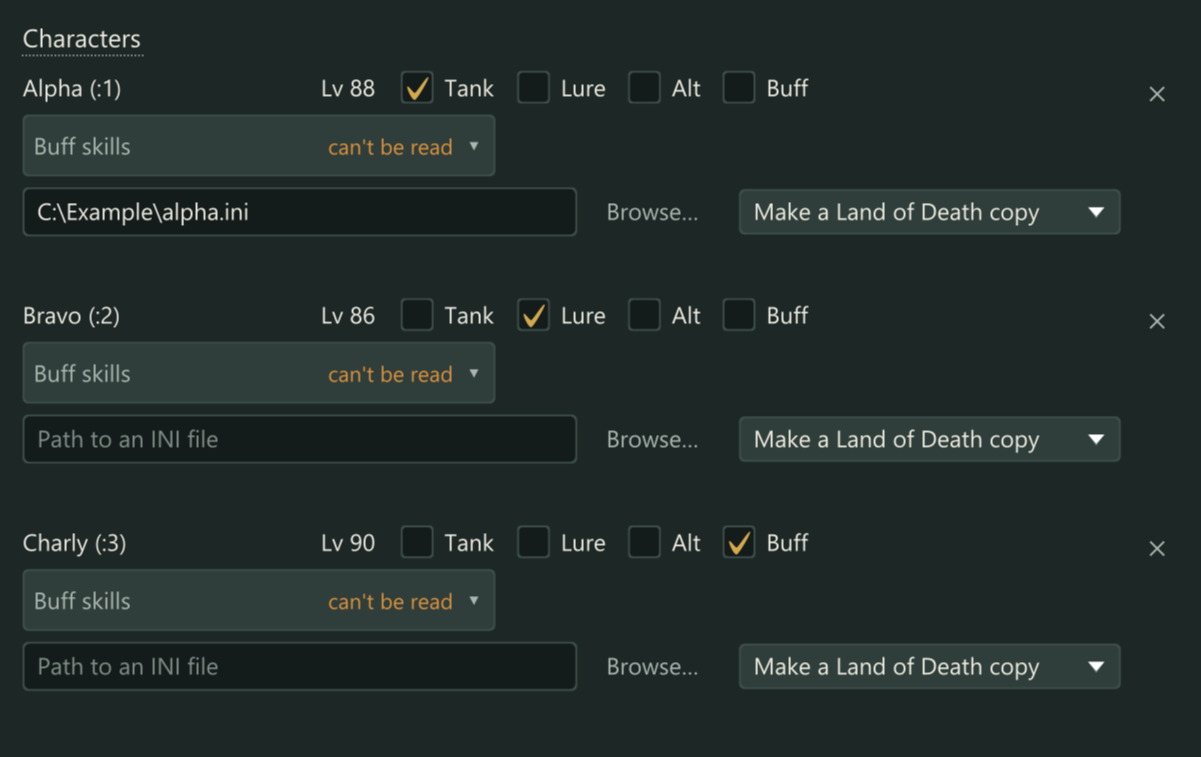 Land of Death: Roles, INI and buff skills for each example character.
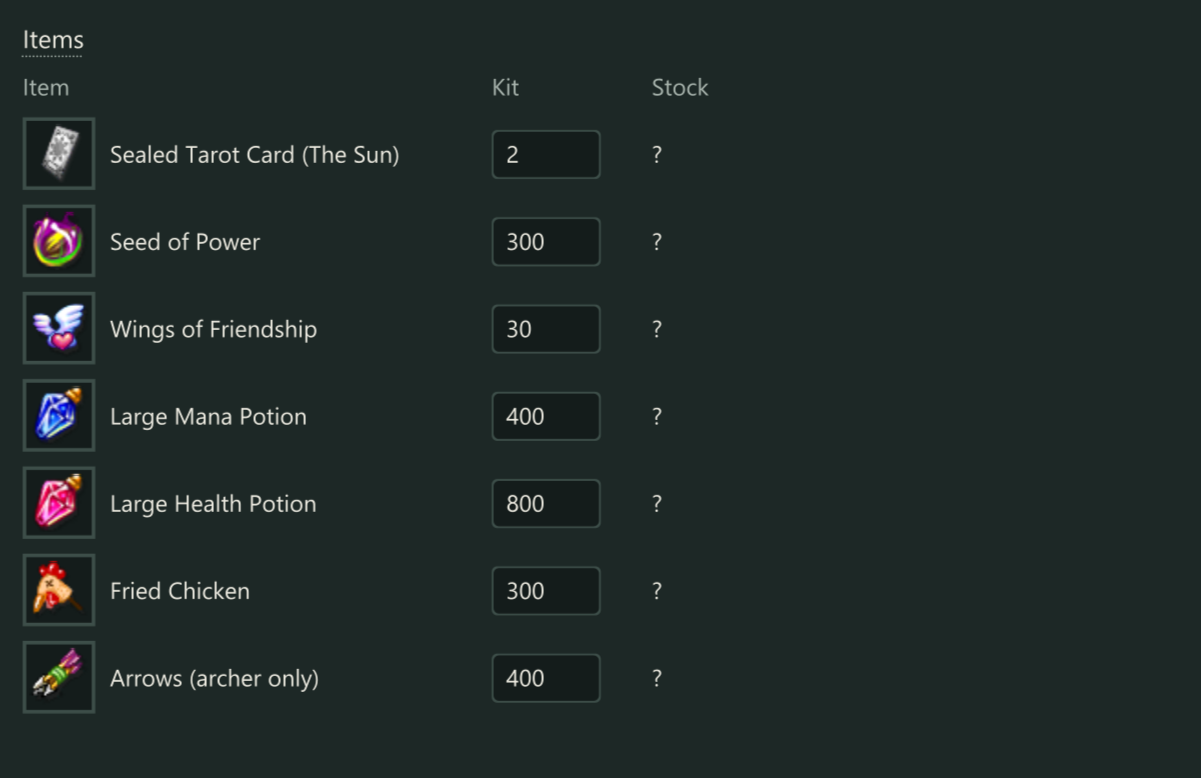 Trader: What each receiver should end up with, against what the stock has.
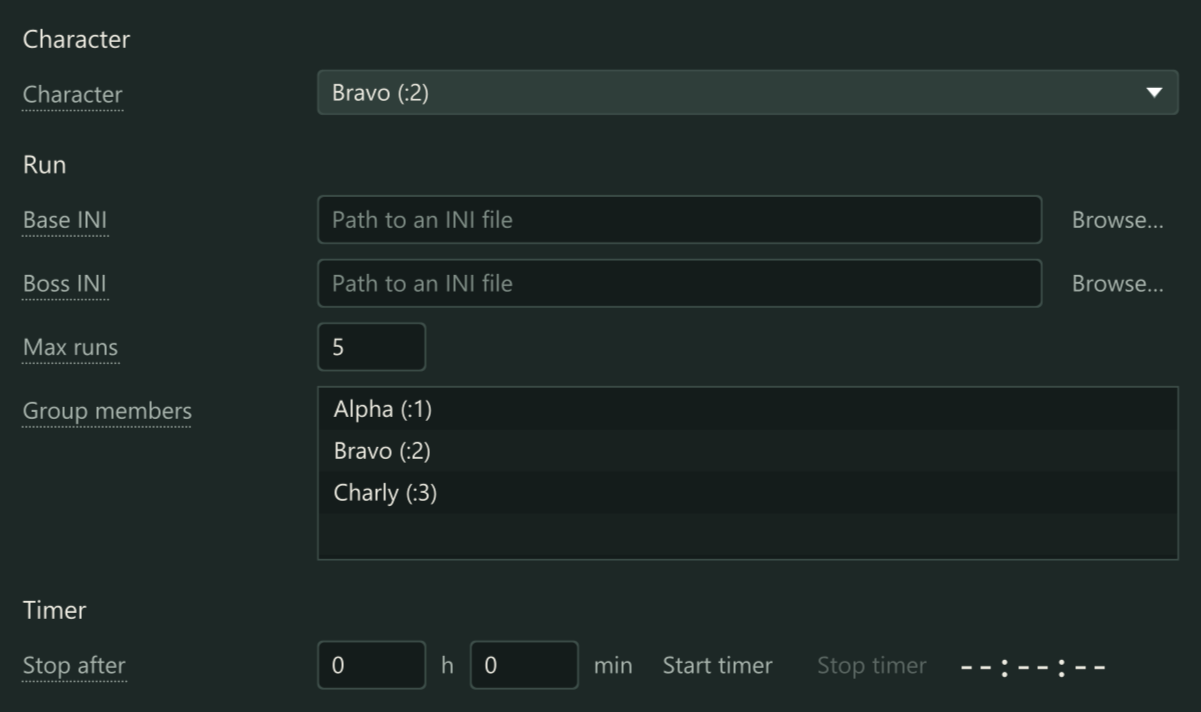 Party Timespace and Fish SP TS: Fish SP TS: the character, the INI files, max runs and the timer.
Screenshots of the program with example characters. Every module has its own page with a short silent video.
Pick the modules you need.
A licence key covers the modules you bought. Buy any number of them, add more later. How each one works.
Bot Control
Farming routes, supplies and a weekly schedule for a whole fleet of characters, all from one window.How it works
Act 2 Quests / LvL 56-65
The Act 2 quest line, played through automatically by a group of characters.How it works
SP3 Quests
The SP3 quest line, played through automatically by a group of characters.How it works
SP4 Quests
The SP4 quest line, played through automatically by a group of characters.How it works
Act 5.1 Quests
The Act 5.1 quest line, played through automatically by a group of characters.How it works
Act 6 Quests
Quest lines for a group
Land of Death
Runs Land of Death for your characters.How it works
Timespaces
Party time-spaces and the fishing SP time-space.How it works
Sealed Vessels
Sealed vessel botHow it works
Trader
Trading for your characters.How it works
Tools
Map editor and waypoint recorderHow it works
Steam Launcher
Starts many Steam accounts' game clients without the Steam client, each through its own proxy. A crashed game is restarted and logged in again by itself.How it works
Equipment Betting
Equipment betting for your charactersHow it works
Included Free
Fleet overview, account manager and profiles come with every licence. Also free: the Licence page for your key and updates.
How it works
Download the starter
A zip with the program that starts the manager. Unpack it anywhere you can write to. It brings its own Java.
Enter your licence key
Open the Licence page and press Redeem. The key says which modules you bought.
Your modules load
The bought modules appear as pages in the program. Updates arrive by themselves; a module is only swapped while its pages are idle.
You also need Phoenix Bot, which you install yourself. One licence is for one computer. You can move it to another computer yourself. More on the download page.
Build your licence.
Tick the modules you want. Each one is priced on its own.
Some prices are not set yet. Those modules are not available yet.