

Bot Control
Farming routes, supplies and a weekly schedule for the whole fleet.
Bot Control starts and stops the Phoenix farming bot on all ticked characters at once. It adds miniland buffs from a host character, mounts, item use, waypoint sync between characters and a weekly plan. Settings are saved in profiles.
Watch it, 52 seconds
What you can use it for
- Farming with many characters for hours without watching
- Buffing fighters in a host's miniland on a rhythm
- Running the bots only in time slots you plan for the week
What it has
- Start, Clean start, Pause and Continue for all ticked characters
- Fighter and Buffer roles, Phoenix buffs, and your own buff skills per character
- Routes over several maps, each with its own INI and exit portal
- Miniland sync: a fighter joins the host's miniland to be buffed, and leaves afterwards. Item use and mount settings (Power Loader, retry, waiting for loot) run there too
- Barrier sync and Advanced sync rules to pause a character at a waypoint until others arrive
- Supplies: what each bot uses up, how much is left and a forecast
- A week calendar with slots, copy to other days, and a choice of what happens at the end of a slot
- Profiles with New and Delete to keep several setups
How to use it
Tick the characters
On the Characters tab every detected character has a tick box. Tick the ones to run. Set each one to Fighter or Buffer.
Set each INI
In the INI field of each character, browse to its Phoenix INI. Use Add map for a route over several maps.
Set up the miniland
On the Miniland tab choose the Host (buffer), the Rendezvous WP and Buff in seconds. Choose the items to use on the Item use tab.
Start
Press Start to farm, or Clean start to reset the routes and begin fresh. Pause and Continue are next to them. Watch Supplies and the log.
Set a timer
Under Stop after type hours and minutes and press Start timer. The countdown runs and the bots stop after the next miniland return.
Plan the week
On the Schedule tab drag in a day to make a slot, then tick Weekly schedule. Each slot starts the bots and stops them at its end.
Good to know
- Phoenix Bot does the fighting and walking from the INI. Bot Control starts, stops and coordinates it.
- A change to an INI during a run takes effect at the next Start.
- Weekly schedule is off every time the manager starts. Tick it again.
- The manager never logs a character in. Your characters must be in the game already.
Screenshots
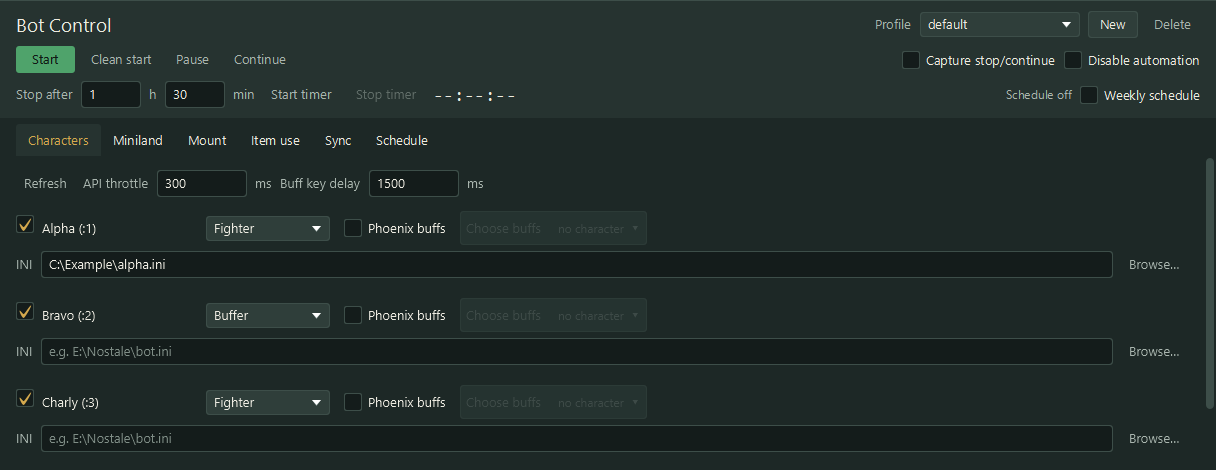
The Characters tab: tick, role, INI and buffs for each example character. 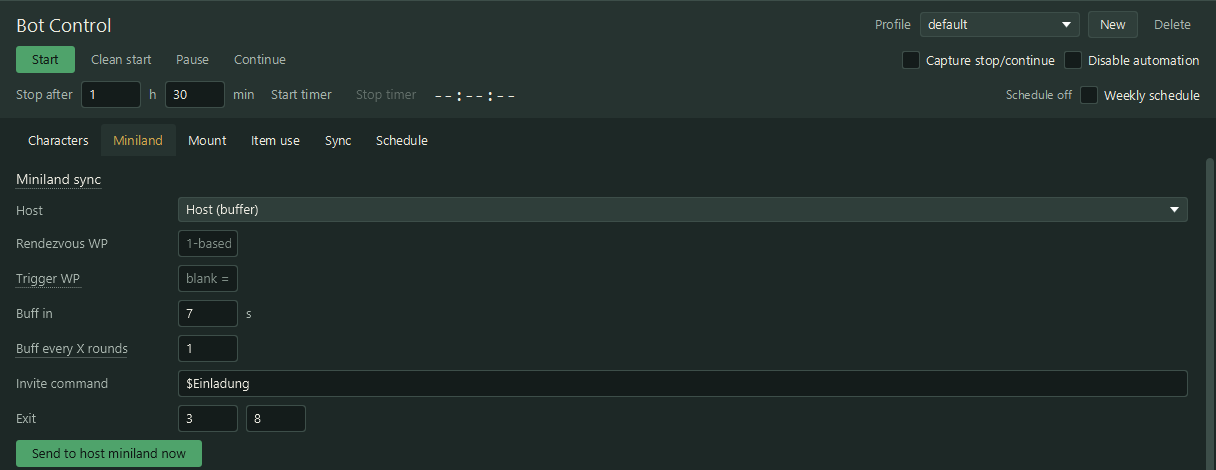
The Miniland tab: the host, the waypoints and the buff rhythm. 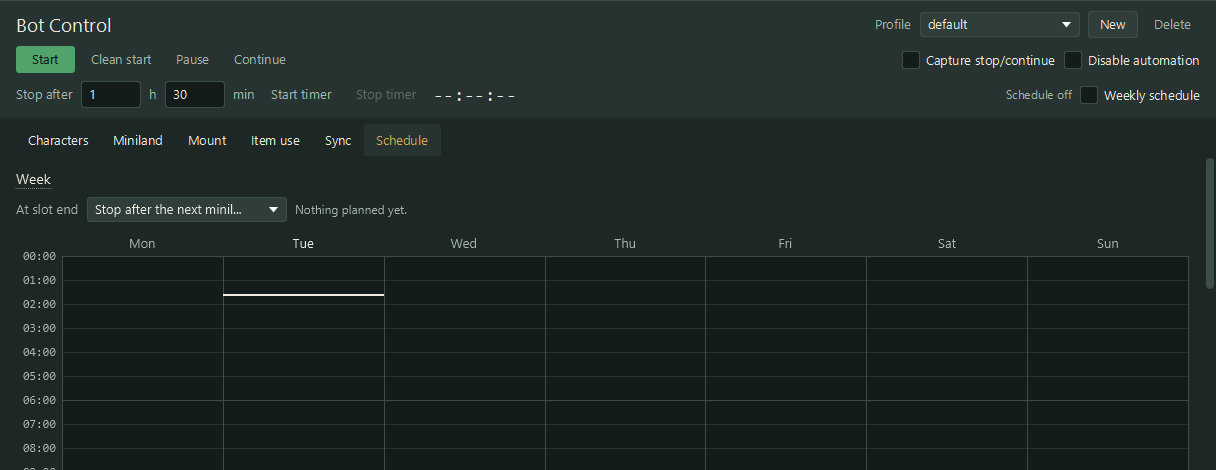
The Schedule tab. Slots in the week are the times the bots run.
Get Bot Control
Add this module to a licence key. Price and total are shown on the order page.