

Map Editor and Waypoint Recorder
Record a walking route in the game and edit it on a map.
Waypoint Recorder writes down the path you walk in the game and saves it as a Phoenix INI. Map Editor opens such an INI on the map grid. You move, add and delete waypoints with the mouse and save the file.
Watch it, 66 seconds
What you can use it for
- Making a farming route for Phoenix without typing coordinates
- Tidying a route: round it into a circle or a line, mark where to fight
- Copying the X or Y of waypoints between several routes
What it has
- Records the destination of each walk from a running character
- Skip repeated points while recording
- F5 adds a random 1 to 1.5 second delay to the last point
- A map view built from the character's own map grid, kept in a cache
- Add, move, insert and delete waypoints with undo and redo
- Multi-selection tools: Circle, Line, Reverse order, Delete selected, and Kill set or clear
- Delays per waypoint, with Apply delays to all
- Several panes side by side with Sync X, Sync Y and Sync X+Y
How to use it
Record a route
In Waypoint Recorder choose the Character and press Start. Walk the route in the game. Points appear under Recorded points.
Mark pauses
Press F5 while recording to give the last point a short random delay. When you use a skill, that point is marked as a place to fight.
Save the INI
Press Stop, then Save .ini. Clear throws the points away.
Open it in Map Editor
In Map Editor press Open INI and pick the file. Choose the Map ID and the Character, then press Capture grid from character while that character is on the map.
Edit the waypoints
Click to add a point and drag to move one. Use Circle, Line and Reverse order on a selection, or set Kill on selected points.
Save
Press Save or Save As. Add pane opens a second map to compare routes, and Sync X, Sync Y and Sync X+Y copy values between them.
Good to know
- The map picture is not in the manager. Press Capture grid from character while a character stands on that map.
- Both tools work with Phoenix INI files. Phoenix walks the route, not the manager.
Screenshots
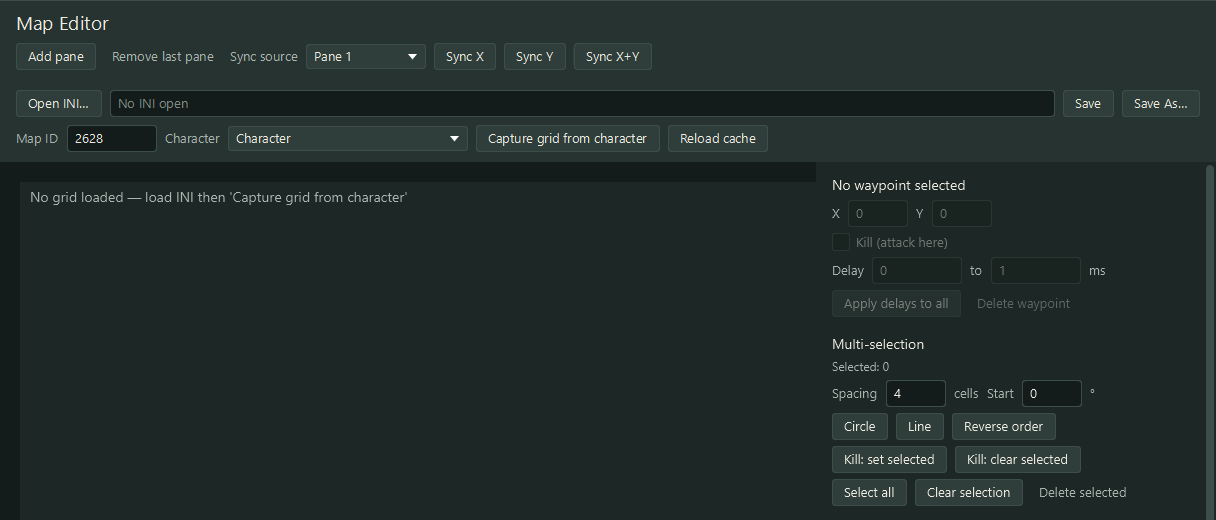
Map Editor: waypoints on the map grid of an example route. 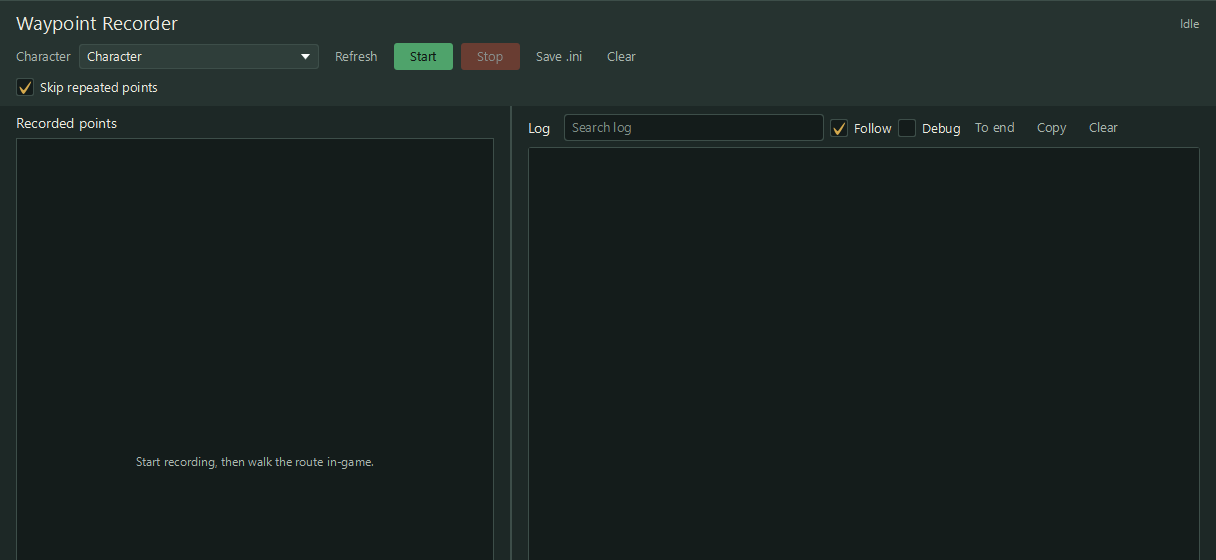
Waypoint Recorder: the points recorded so far and the log. 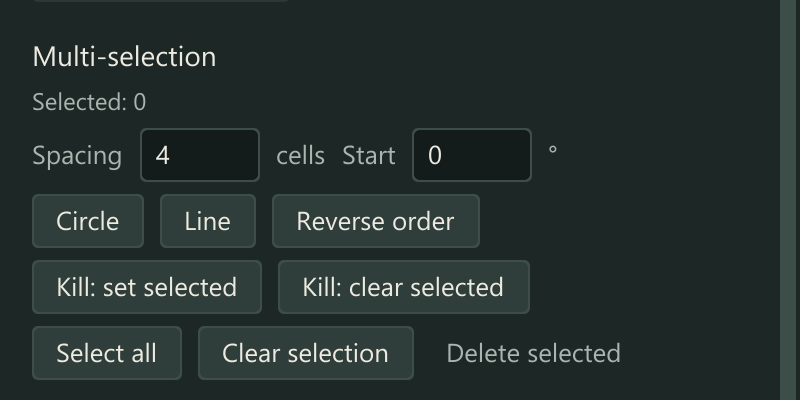
The tools for a selection: Circle, Line, Reverse order and Kill.
Not sold on its own yet
Map Editor and Waypoint Recorder cannot be ordered separately at the moment. Ask us if you need it.