

Trader
Hands each character its items from one stock character.
Trader uses the game's own player trade. One character holds the stock. You choose a kit and the receivers, and the stock character trades to each one in turn. The kits match the items the quest bots need.
Watch it, 50 seconds
What you can use it for
- Handing out potions, wings, amulets and seeds before a quest run
- Topping up characters that ran low
- Giving one character an extra item or several
What it has
- One kit per quest line, with amounts you can change
- The stock shown against the kit, with item icons
- If the stock is short, the item is split evenly among those who lack it
- Extra items for one receiver or for all
- Arrows only for the character ticked as archer
- A confirmation with a summary before anything is traded
- Tabs for several trades at once; a character can only be in one trade
How to use it
Choose the stock
Under Stock choose the Character that holds the items. It can stand anywhere on the same channel as the receivers.
Choose a kit
Under Kit choose Act 2, SP3, SP4, Act 5.1, or No kit, only the added items. The Items table shows the amount of each item in the kit and what the stock has.
Tick the receivers
Under Receivers tick Gets a kit for each character. Tick Archer for the one that also needs arrows.
Add extra items
Press Add item on a row, choose an item from the stock, type the amount and press Add. Add to all receivers does it for everyone.
Trade
Press Trade and confirm the summary. The badge shows Trading, and each receiver is served one after the other.
Good to know
- The trade uses the game's own trade window. Characters must be on the same channel.
- Refresh reads the bags again after you change the stock.
- A trade that does not go through in time is cancelled on both sides.
Screenshots
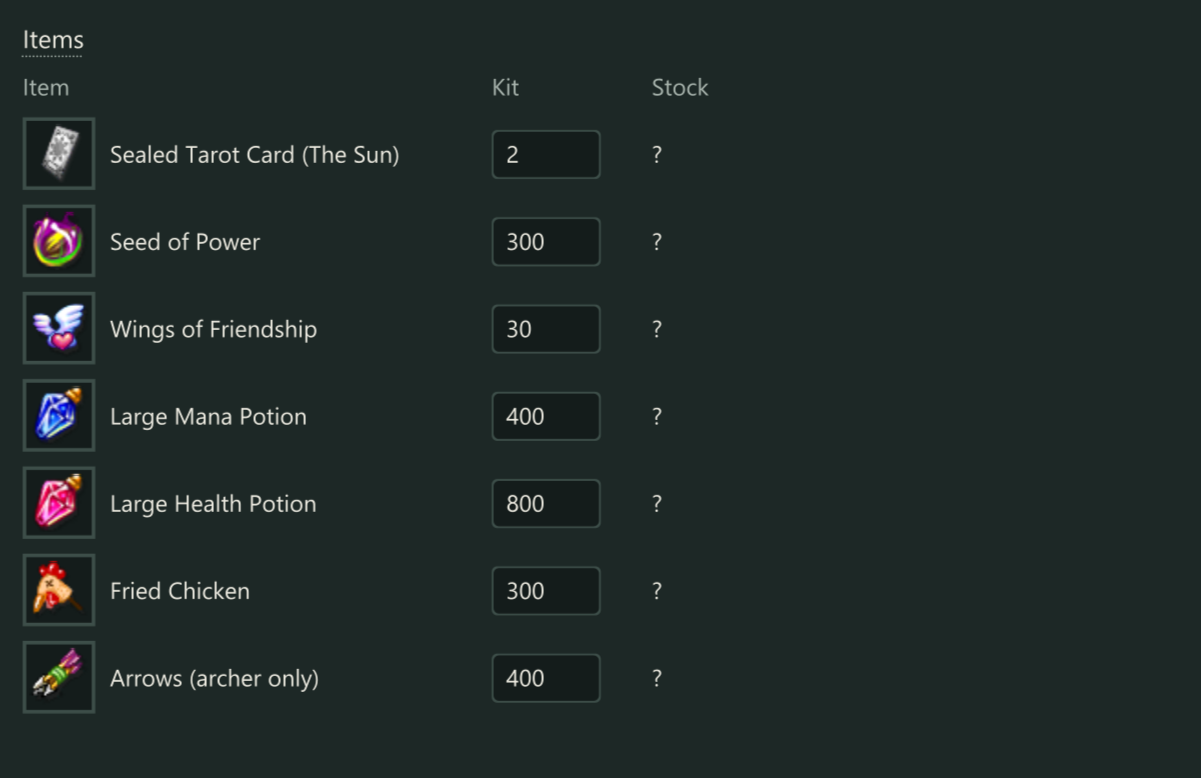
What each receiver should end up with, against what the stock has. 
Choose the character that holds the items, and the kit. 
Tick the receivers. Example characters.
Get Trader
Add this module to a licence key. Price and total are shown on the order page.