

Profiles
Edit Phoenix INI files with tables instead of a text editor.
Profiles opens a Phoenix INI file and shows its skill, item, loot and monster lists as tables. You fill the lists from a connected character, change them, save a new profile and load it into Phoenix.
Watch it, 61 seconds
What you can use it for
- Making a combat profile for a new character from an existing one
- Adding skills, items, loot or monsters without typing their numbers
What it has
- Tables for attack skills, items, loot, monsters, partner skills and pet skills
- Lists filled from the connected character
- Every other INI setting in one Setting and Value table
- Save as a new profile, or save and load it into Phoenix in one step
- A hint on the item conditions: 0 is health below the value in percent, 1 is mana below, 8 is every delay in milliseconds
How to use it
Pick a character and an INI
Choose a Character, then type or browse an INI to start from. Press Load.
Open a list
Use the tabs: Attack skills, Items, Loot list, Monster list, Partner skills, Pet skills and All other settings.
Add rows from the character
Press Add from character to pick from its skills, its bag or the monsters in sight. Add empty row gives a blank row. Double-click a cell to change it.
Order and remove
Use Up and Down to change the order and Remove to delete the selected rows.
Save
Type a name in Name of the new profile and press Save profile. Save and load in Phoenix also loads it into the connected character. Open folder shows the saved files.
Good to know
- The start INI is not changed. Saving makes a new profile file.
- To fill lists from a character, it has to be connected.
Screenshots
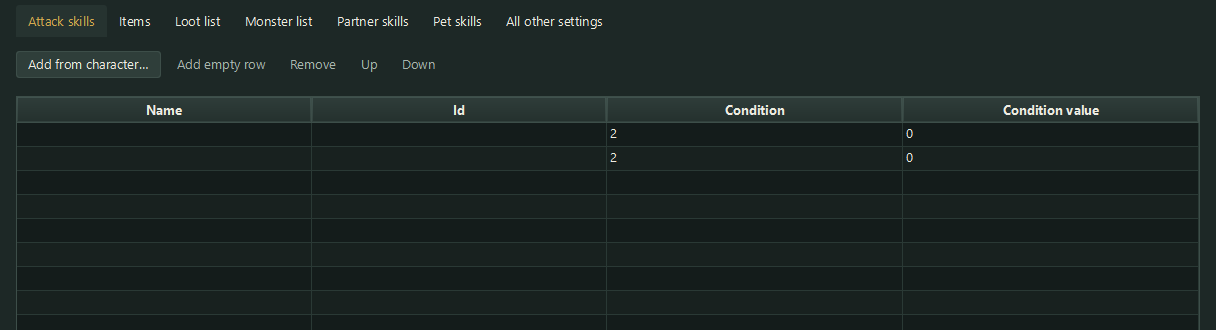
The Attack skills tab. The other lists work the same way. 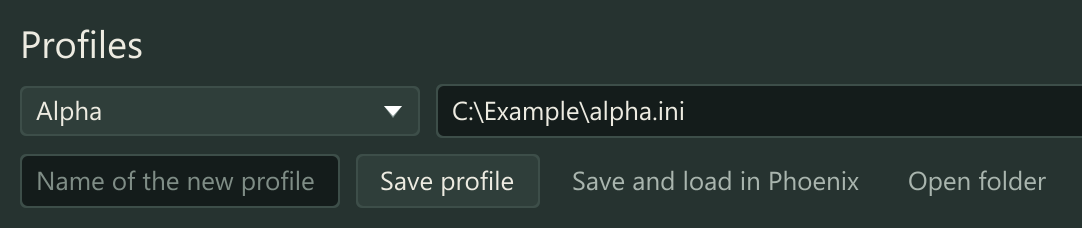
Pick a character and an INI, then Load. 
Name the profile, save it, or save it and load it in Phoenix.
Part of every licence
You do not need to buy anything extra for this. Download the starter and enter your licence key.